
Kiyoh & Klantenvertellen Shopify
Configuring your Kiyoh & Klantenvertellen Shopify module
1. Install the app
Click this link https://apps.shopify.com/kiyoh-reviews-app-1?locale=nl and install the app, and press Go to API Settings to configure the app.
2. Login to your reviews account
Log in to your Kiyoh or Klantenvertellen account: https://www.kiyoh.com/user/login.html or https://www.klantenvertellen.nl/user/login.html
3. Navigate your dashboard
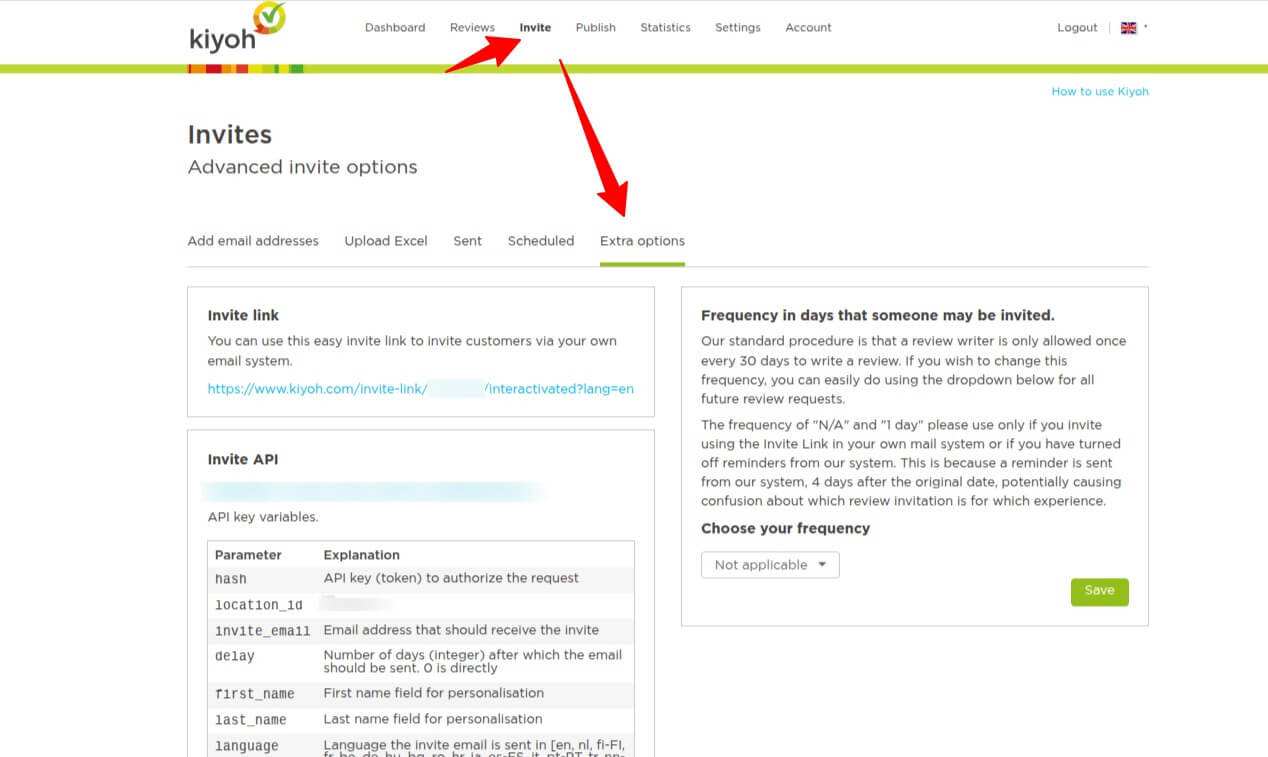
Go to Invite > Extra options
4. Copy your secrets for later use
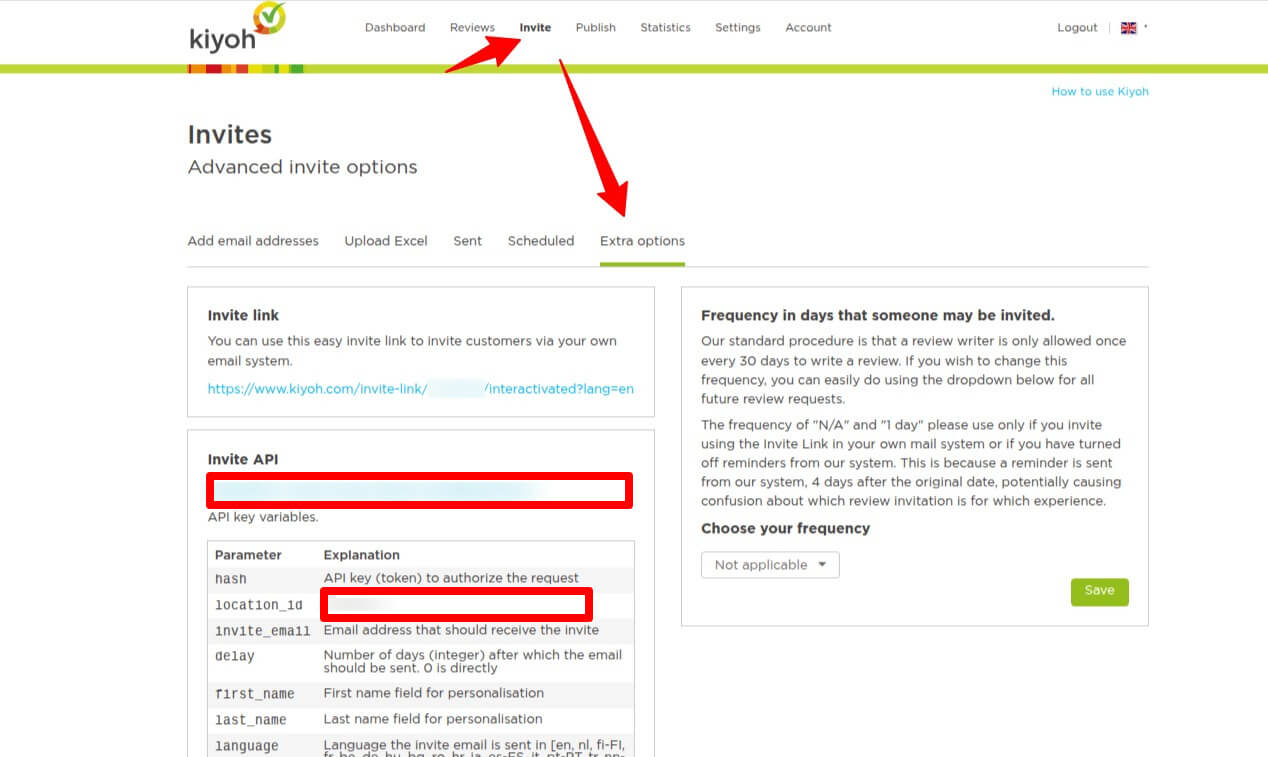
Copy the hash/api token called “Invite API” and copy the location id in the diagram
5. Go back to your Shopify admin
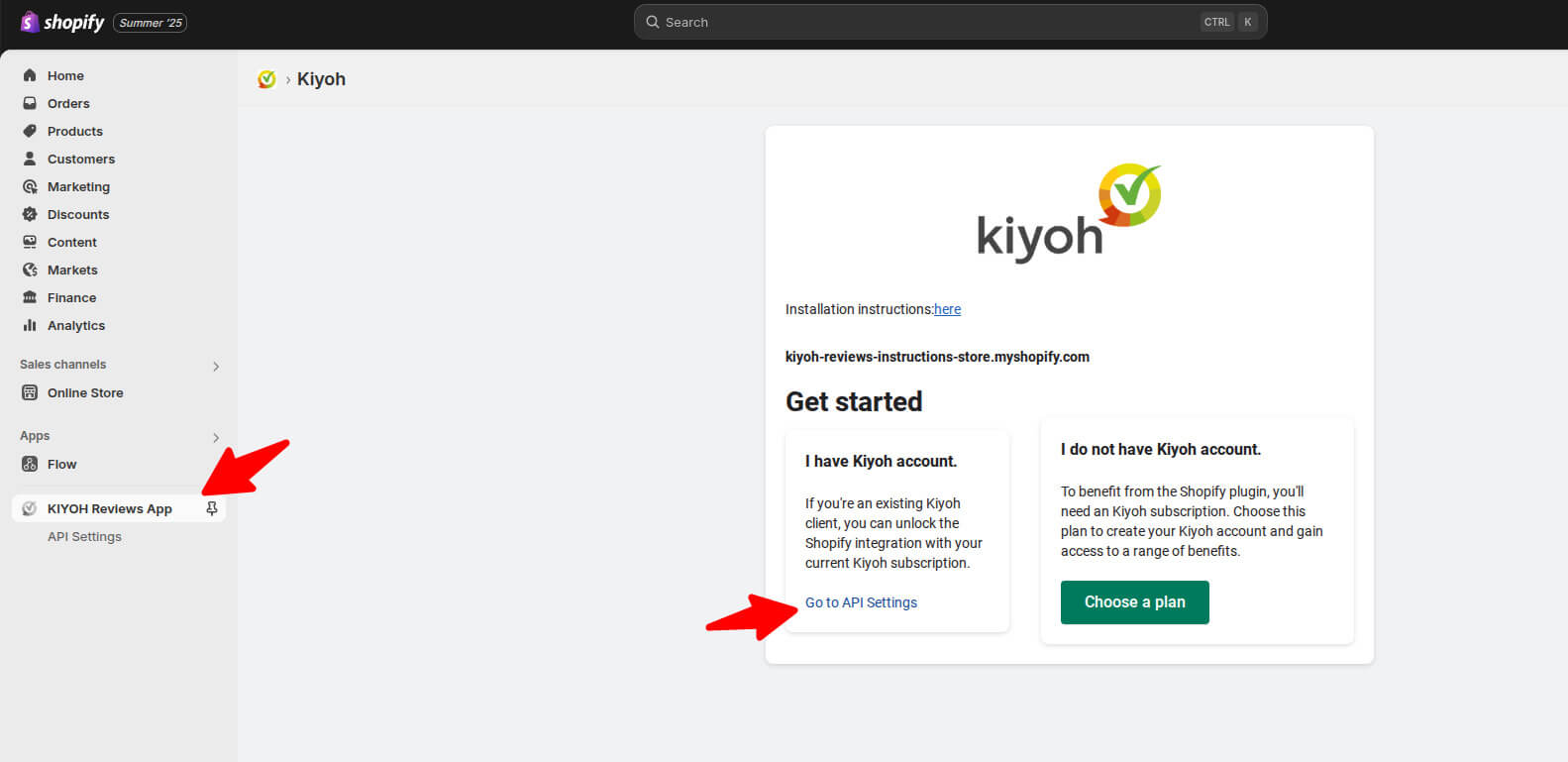
Open your Shopify store admin panel and go to Apps > KIYOH Reviews App > Go to API settings
6. Server choice
Choose kiyoh.com or klantenvertellen.nl based on your account.
7. Set your API key and location_id
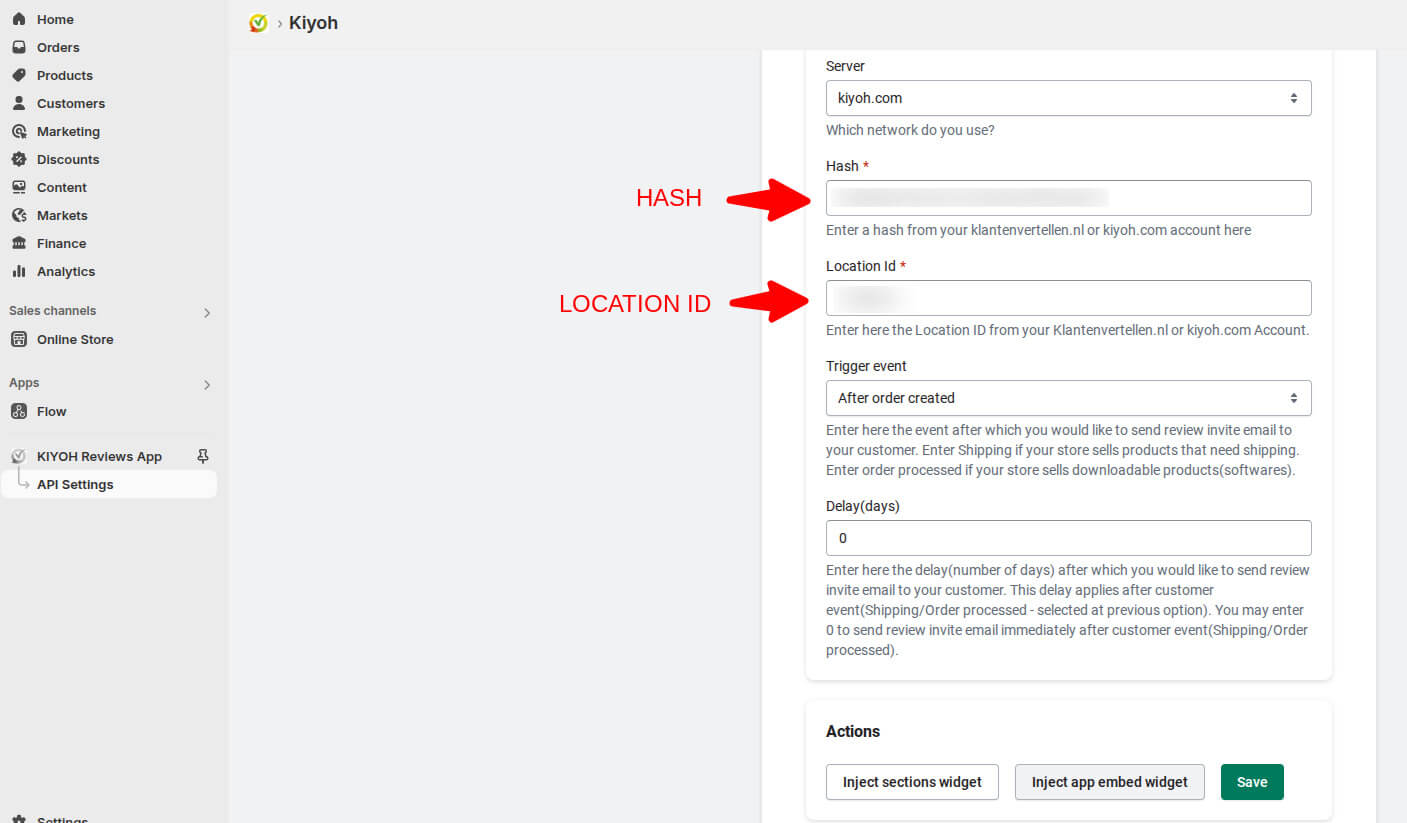
Paste the earlier retrieved API key/hash and location_id into the corresponding fields in the app configurator.
8. Trigger event
Which order status should trigger the scheduling of the review invite? Make sure your orders actually hit this status.
9. Delay
How long should kiyoh or klantenvertellen wait (in days) after your chosen order status trigger (next step), before sending the review invite?
10. Publish review widget (optional)
Inject the review widget into your theme customizer by clicking the corresponding button in the app configurator